Hi,
I’m working on a magnetic bead separation protocol, and want to use the Alpaqua_96_magnum_flx on-deck magnet.

I’ve found the documentation for the part, but was wondering if anyone has a code snippet example I could use.
Hi,
I’m working on a magnetic bead separation protocol, and want to use the Alpaqua_96_magnum_flx on-deck magnet.
I’ve found the documentation for the part, but was wondering if anyone has a code snippet example I could use.
Hi @god,
Happy to make one for you 
@rickwierenga, let’s start the PLR cookbook:
…a collection of modular, reusable code snippets designed to illustrate ways to solve specific, often-encountered problems, rather than to execute a complete automated protocol (which would belong in the Protocol Library)
""" PLR Cookbook Recipe:
Creating a Magnet PlateAdapter and Moving a Plate On/Off It
"""

%load_ext autoreload
%autoreload 2

script_mode = "simulation"

import random
import time

from pylabrobot.liquid_handling import LiquidHandler
from pylabrobot.resources.hamilton import STARLetDeck
from pylabrobot.visualizer.visualizer import Visualizer

if script_mode == 'execution':
    from pylabrobot.liquid_handling.backends import STARBackend
    backend = STARBackend()
elif script_mode == 'simulation':
    from pylabrobot.liquid_handling.backends.hamilton.STAR_chatterbox import STARChatterboxBackend
    backend = STARChatterboxBackend()

from pylabrobot.resources import (
    MFX_CAR_L5_base , # MFX CARRIERS
    MFX_DWP_rackbased_module, Hamilton_MFX_plateholder_DWP_metal_tapped,
    Alpaqua_96_magnum_flx,
    Azenta4titudeFrameStar_96_wellplate_200ul_Vb,
)

# # # Top Resource & Visualizer Setup # # #
lh = LiquidHandler(backend=backend, deck=STARLetDeck())

await lh.setup()
vis = Visualizer(resource=lh)
await vis.setup()

await lh.backend.disable_cover_control() # 😈
await lh.backend.move_core_96_to_safe_position()


# # # Add Resources to you Deck  # # #

# Setup MFX Carrier for Magnetic Bead Resuspension

mfx_plateholder_dwp_1 = Hamilton_MFX_plateholder_DWP_metal_tapped(name=f"mfx_plateholder_tapped_dwp_0")

mfx_carrier_tapped_plate_holder_example = MFX_CAR_L5_base(
  name="mfx_carrier_tapped_plate_holder_example",
  modules={
      0: mfx_plateholder_dwp_1,
  }
)

mfx_carrier_tapped_plate_holder_example[0] = wash_plate = Azenta4titudeFrameStar_96_wellplate_200ul_Vb(name="wash_plate_0")

lh.deck.assign_child_resource(mfx_carrier_tapped_plate_holder_example, rails=1)

# Setup Magnet-carrying MFX Carrier

DWP_module_0 = MFX_DWP_rackbased_module(name=f"DWP_module_0")
magnet_0 = Alpaqua_96_magnum_flx(name=f"alpaqua_magnet_0")
DWP_module_0.assign_child_resource(magnet_0)

mfx_carrier_magnet_example = MFX_CAR_L5_base(
  name="mfx_carrier_magnet_example",
  modules={
      0: DWP_module_0,
  }
)
magnet_0.plate_z_offset = 0.62  # <===== PLATE-SPECIFIC !
# empirical: distance between bottom of Alpaqua magnet hole bottom to
# cavity_bottom of the well that is placed on top of it
# use ztouch_probing to measure both

lh.deck.assign_child_resource(mfx_carrier_magnet_example, rails=8)


# # # Move Plate Onto Magnet PlateAdapter # # #

plate_index = 0 # always design for throughput adaptivness ;)

plate_to_move = lh.deck.get_resource(f"wash_plate_{plate_index}")
move_target = lh.deck.get_resource(f"alpaqua_magnet_{plate_index}")


back_channel_idx = random.randint(1, 6)  # Reduce wear & tear on any single channel

if script_mode == "simulation":
    time.sleep(2)

await lh.move_plate(
    plate=plate_to_move,
    to=move_target,
    use_arm="core",
    channel_1=back_channel_idx,
    channel_2=back_channel_idx + 1,
    pickup_distance_from_top=6,
    core_grip_strength=40,
    return_core_gripper=False,
)

if script_mode == "execution":
    # "smart" command, will ask operator for input if it cannot find plate in move_target location

    await lh.backend.core_check_resource_exists_at_location_center( # (1) check transfer success, (2) push plate flush
        location=plate_to_move.get_absolute_location(),
        resource=plate_to_move,
        gripper_y_margin=9,
        enable_recovery=True,
        audio_feedback=False,
    )

print(lh.backend.core_parked)
# >>> False # save time - keep CORE grippers on channels during magnetisation time

if script_mode == "simulation":
    time.sleep(2)


# # # Move Plate back onto tapped PlateHolder # # #

move_target = lh.deck.get_resource(f"mfx_plateholder_tapped_dwp_{plate_index}")

await lh.move_plate(
    plate=plate_to_move,
    to=move_target,
    use_arm="core",
    channel_1=back_channel_idx,
    channel_2=back_channel_idx + 1,
    pickup_distance_from_top=6,
    core_grip_strength=40,
    return_core_gripper=False,
)

if script_mode == "execution":

    await lh.backend.core_check_resource_exists_at_location_center(
        location=plate_to_move.get_absolute_location(),
        resource=plate_to_move,
        gripper_y_margin=9,
        enable_recovery=True,
        audio_feedback=False,
    )

await lh.backend.put_core()

print(lh.backend.core_parked)
# >>> True
Note: PLR assumes PlateAdapters have a flat bottom surface.
This is not the case with this Alpaqua magnet:
To avoid having to use an offset, I recommend you always place the Alpaqua magnet (PLR function:Alpaqua_96_magnum_flx) on a ResourceHolder or PlateHolder with a flat top surface.
TODO: rename the PLR definition function according to PLR’s latest nomenclature to
alpaqua_96_plateadapter_magnet_magnum_flx
How did you make the visualizations? (ie, I see the visualization import, but like where is that saving to?)
I think I should explain:
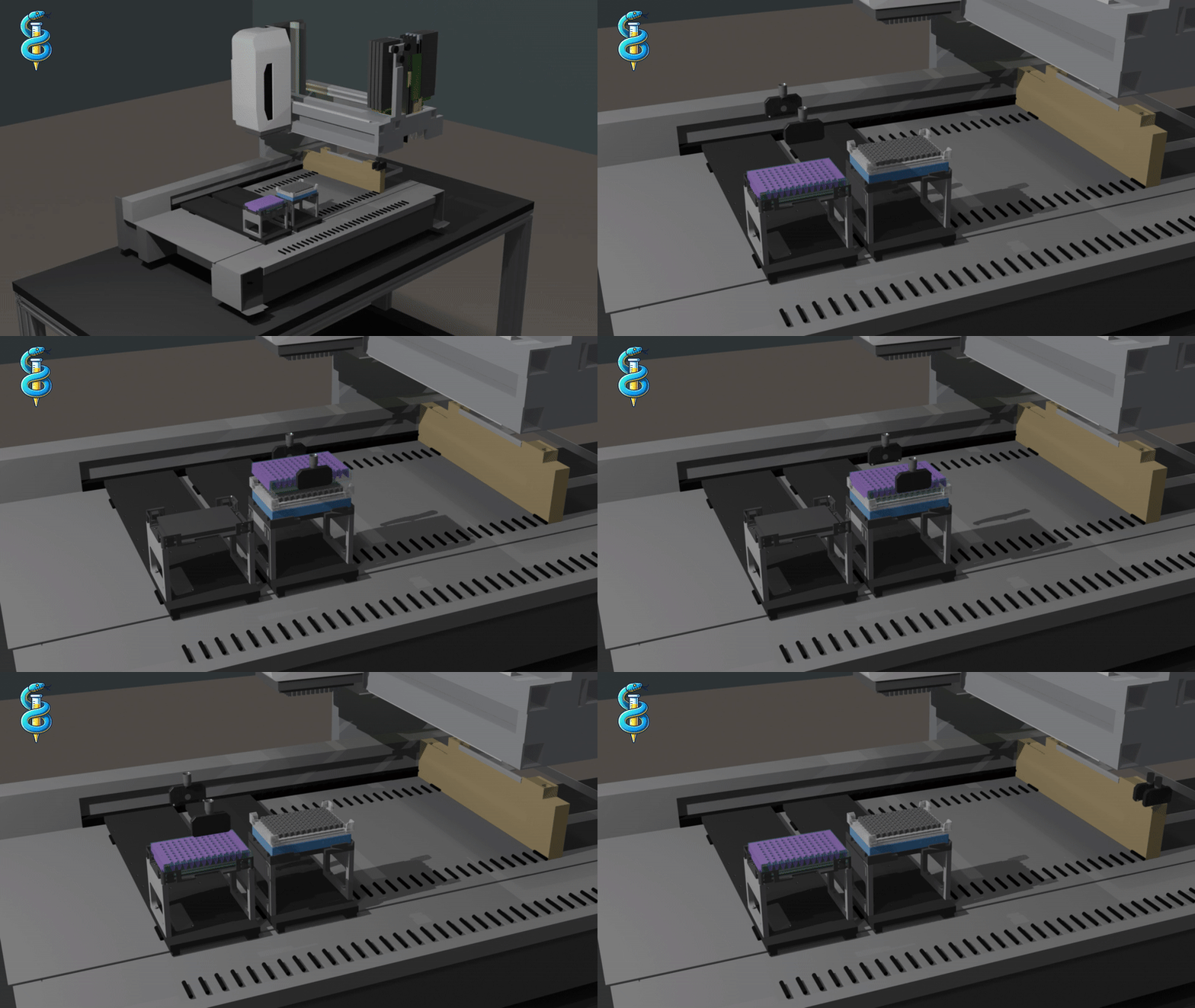
The gif and magnet bottom explainer image are not PLR-made (yet  ).
).
I added the normal PLR visualizer + time.sleep(2) (in simulation mode) so that anyone can just copy this exact recipe/snippet of code and see this on their own PC (it is defaulted to script_mode="simulation" for convenience to the PLR explorer):
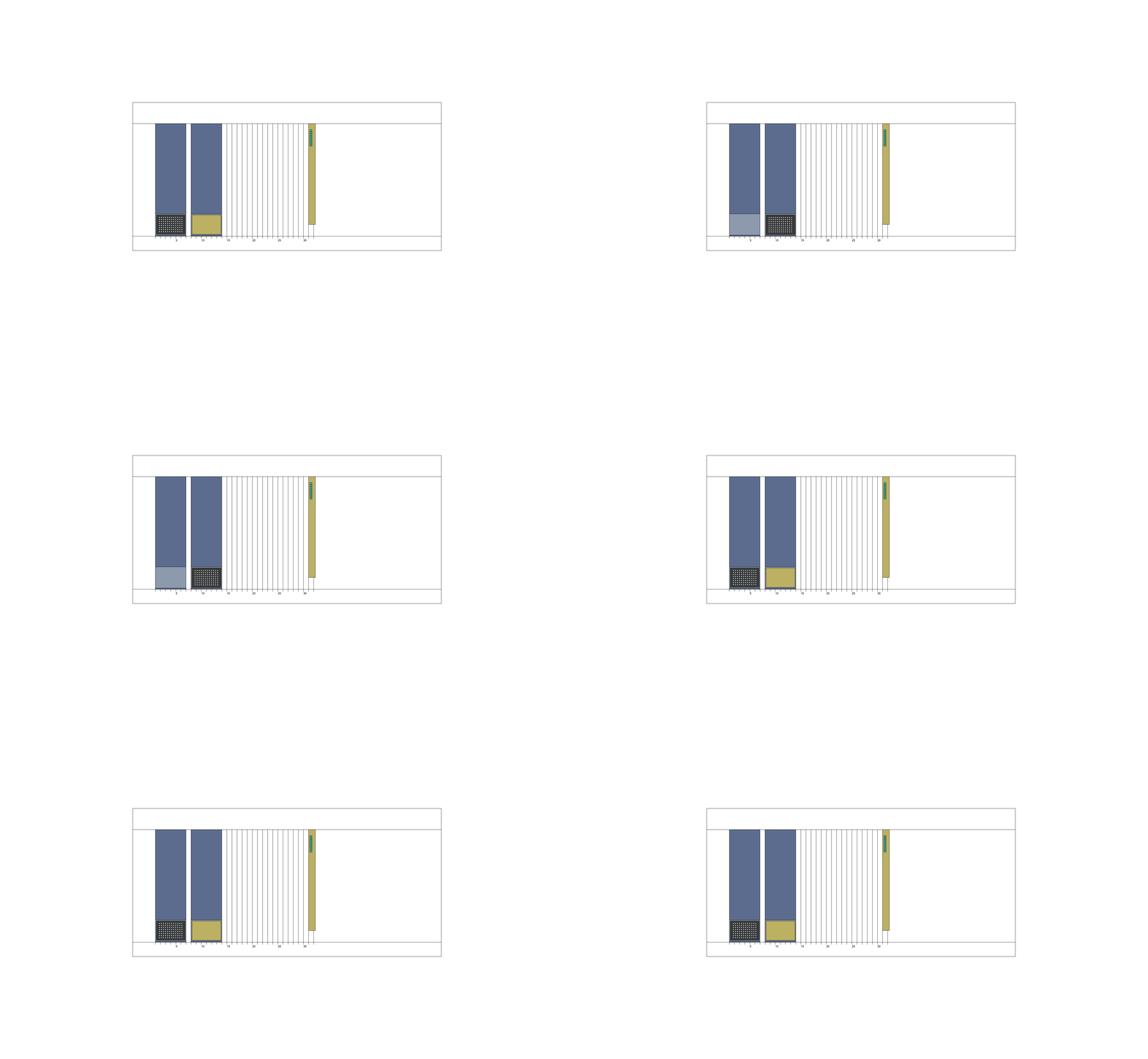
If you want to safe a gif like this one, the PLR Visualizer has a button on the top for recording, and after recording a “Save gif” appears. Just add an input() command after your deck setup so that you have time to click the “Record” button in the PLR Visualizer.
but I wanted to visually show more → exactly what this recipe will do on their machine:
I used a “base” scene I’ve been building for a little while, made from both publicly available 3D models and my self-made ones; though I had to make a high-precision model of the grippers from scratch for this today:
Then I placed everything into Blender and got it going (having spent a lot of time with the machine helps get the motion ‘relatively’ accurate, i.e. know when the channels move rapidly and when they move slowly).
Blender does have an in-built Python engine that could allow to automate the animation aspect … but that’s actually very difficult, 3D assets can be massive and we don’t want to slow PLR down with a Blender dependency 
There might be some ways around this.
But great for teaching PyLabRobot right now 
Hello Camillo,
This is most kind of you. I am now able to move objects onto the Alpaqua_96_magnum_flx.
Do you have any advice on the handling of liquids in a magnetic bead purification protocol? For example, when placed on the magnet, beads will gather at the bottom, and I would rather not have the pipette touch these beads - but, I still want to maximally remove supernatant!
Kind regards,
god
What plate are you using?
Hello Camillo,
I would be using a V-bottom well plate without a volume-to-height function defined yet, but I could write one.
I suppose one could titrate the bead-to-liquid volume of magnetic bead stock solution by magnetizing a cylindrical column (flat-bottom well-plate). Then, one could use this relationship to estimate the solid bead volume after magnetization for a given ratio of bead-to-water.
Kind regards,
god
I would recommend moving away from a V-bottom wellplate.
If the V-tapering is very steep the outside bottom of the well can actually touch the bottom of the magnet hole - as shown in this example:
In this case, yes, you would see magnetisation-based pelleting of the beads on the bottom, making it very hard to not touch the beads (though there is still a way I wouldn’t recommend).
→ You are fighting the geometry combination of your chosen well + magnet.
But Alpaqua magnets have been specifically designed to overcome exactly this problem:
By switching to a roundbottom, pyramid-shaped or V-shaped bottom with a shallow tapering the bottom of the well cannot touch the bottom of the magnet.
Instead the well sits on the edge of the magnet hole → magnetisation then generates a torus- / doughnut-shaped bead pellet at the point of contact between well and magnet.
The free-floating cavity_bottom of the Well can then be nicely aspirated from - completely removing all liquid.
That is the power of the Alpaqua magnets (+ their Spring Cushion Technology).
But, as a result of the well bottom geometry you choose different plates will always sit at different z coordinates, and PLR must know where that is → that is why I created PlateAdapter.plate_z_offset (as showcased in the cookbook recipe above).
In reality there are two difficulties even then:

If no1 is an unmountable challenge, then I would recommend moving to a PlateAdapter that has its magnets spaced at the walls of the wells, rather than the bottom.
(These come with their own challenges, which we can discuss when we get to them).
If you use a flat-bottom wellplate, your plate has nothing to “grip” onto the magnet… it would just slide around on top of it.
…I am missing U-bottom and flat-bottom wellplates in my 3D asset library 
Will change that in the next week to be able to show these geometric relationships properly
that’s some HIGH TIER visualisation  loving itt! tho u have mentioned Blender animation will be a heavy dependency, but sometimes I been thinking if the visualiser and chatterbox can be improved, because I really love working with simulation in PLR. Being able to simulate gives me better way of troubleshooting and inspecting the lab flow, especially if anything might crash physically haha, plus saving lots of time
when you said they are not PLR-made, yet, may I know if you’re working on it thooo
Hi @hazlamshamin,
No, I’m only at the requirements elicitation stage when it comes to a 3D PLR Visualizer.
It is a lot more than only a Blender dependency; we’d have to invent a completely new way to procedurally create 3D assets from PLR Resource definitions, and add a management system for them at run time, without latency … that is massive, the 3D visualisation itself is relatively simple in comparison with a plethora of a potential pre-made solution options available.
But that is not a priority for PLR growth compared to (1) solidifying existing backends, (2) creating more high-quality training material, and (3) integrating new machines.
My 3D visualisations’ main goal is being teaching material, addressing (2).
For the current 2D PLR Visualizer (which I see as part of (1)), do you have specific suggestions on how to improve it?
If yes, please share them in PLR’s latest user feedback request thread: What do you wish PLR did that it cannot currently do?
…or just build what you think would benefit the PLR community
Ok I have no idea how to do this but have seen a lot of robotics simulations in ROS2.
Could convert the blender files to URDF and somehow incorporate ROS2…. probably not in scope
This would be very cool but all of these robotics simulations depend on pre-made 3D models, and declaring their axes of movement very explicitly.
We’d have to not only make such models for every machine but also every piece of labware, and I don’t know yet how we’d deal with PLR user self-generated resources for users who have chosen to not add their resource definitions back to the community…
The alternative is an ad-hoc model generation engine … which is what the 2D visualizer is currently doing, but doing so in 3D is a lot harder and more crucially a lot more compute-intesive… I would no longer be able to run our >12 machines workcell on our Raspberry Pi
But I will look some more into how to optimise the 2D Visualizer and would ask people to write the change they’d like to see;
getting to something like this is not only visually pleasing but imo genuinely useful:
i agree with the priority 1-3 :D. on the other hand for the 2D Visualizer, I have put my comment in the request thread. Would appreciate any opinion


